Creating Seamless, Animated Track Textures
Page 2
|
Step 2. Each of the 64x60 tiles made in the last step need to be made into 64x64 mtm compatable sizes. This step also is to create a top and bottom edge that will tile seamless, and is why we just didn't cut out 64x64 tiles to begin with (they'd look ugly in the game :). Repeat this step for each of the three new tiles made in step 1 |
|
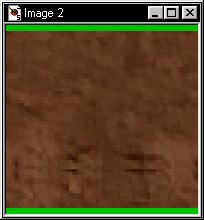 |
Add a 2 pixel border to the top and to the bottom of each new 64x60 texture tile. PSP Menu = Image/ Add Borders |
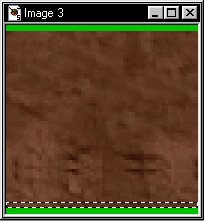 |
Using PSP's selection
tool  with the
controls set for rectangle and zero feather.
Select a two pixel high strip immediately above the border added to the
bottom, hit copy with the
controls set for rectangle and zero feather.
Select a two pixel high strip immediately above the border added to the
bottom, hit copy 
|
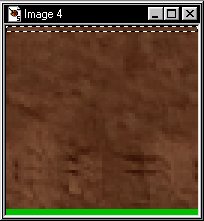 |
Paste (ctrl-E) the selection from above and position it to cover the top 2 pixel border. ctrl-D or right mouse click will defloat your selection once you have it positioned. |
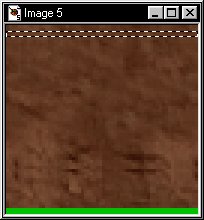 |
Again using PSP's selection
tool with the
controls set for rectangle and zero feather.
Select a two pixel high strip immediately below where the border was added
to the top, hit copy
|
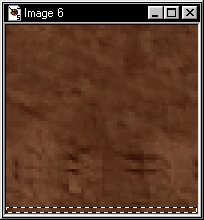 |
Paste (ctrl-E) the selection from above and position it to cover the bottom 2 pixel border. ctrl-D or right mouse click will defloat your selection once you have it positioned. |
Reduce the
colors to 256 (8 bit)  for each new texture then copy / paste each into traxx's texture browse
window
for each new texture then copy / paste each into traxx's texture browse
window  . Lay the
new tiles out unanimated and view them in the game to verify that they
tile, remember, they do not need to tile together mixed ie, mud1, mud2,
mud3, just mud1, mud1, mud1 - mud2, mud2, mud2 etc. If all looks good
then continue to the final steps on page three. . Lay the
new tiles out unanimated and view them in the game to verify that they
tile, remember, they do not need to tile together mixed ie, mud1, mud2,
mud3, just mud1, mud1, mud1 - mud2, mud2, mud2 etc. If all looks good
then continue to the final steps on page three. |
|
<--- Back to page 1 On to page 3 --->
[ Main ] [ Tracks ] [ Track Shots ] [ Traxx ] [ M-350 ] [ Scraps ] [ T-N-T ]