Creating Seamless, Animated Track Textures
Page 3
|
Now that we have
the core of the animation done and in good working order we need to
create a few more animation sets that will tile with the surrounding
area tiles as well as the interior core animation. To do so we will
simply alter three of the same four frames used to create the core animation.
|
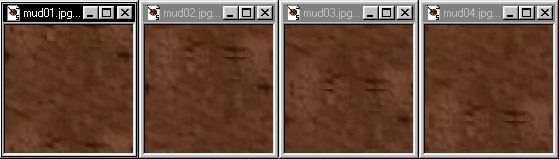 |
|
Step 3. Open up the four animation frames
in PSP and increase their color depths to 16 million (24 bit) with PSP's
Color/increase color depth drop down menu or by using the Next select the primary animation
frame (the one that tiles seamlessly
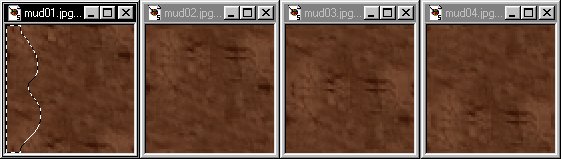
with the outside tiles), and by using PSP's freehand tool |
 |
 icon.
icon. with its
  set to around a 4 or 5 feathered edge trace a small portion of the texture
along the edge as shown below, up against the extreme edge's and wavy
towards the inside. There are two very important things
to keep in mind when executing this step which I've diagrammed
set to around a 4 or 5 feathered edge trace a small portion of the texture
along the edge as shown below, up against the extreme edge's and wavy
towards the inside. There are two very important things
to keep in mind when executing this step which I've diagrammed  icon to copy it and move on to step 2.
|
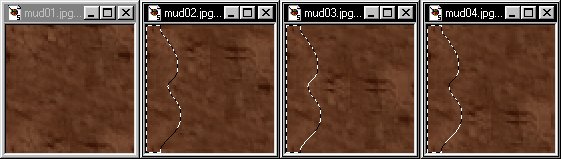
Step 4. Select each of the other animation frames one at a time and paste (ctrl-E) the freehand selection from step 1 into each, insuring it's placed up against the edge as shown. press ctrl-D to defloat the new additions. |
 |
|
Step 5. Reduce the color depth of each frame
tile down to 256 colors (8 bit) from
PSP's Color/ deccrease color depth drop down menu or by using
the Your new animation should look something like this. and this when applied to the track. |
 icon. Then
copy
icon. Then
copy  each of the new tiles into traxx's texture browser and recreate the
animation the same way you did with the core animation, being carefull
to set the framerate at the same speed.
each of the new tiles into traxx's texture browser and recreate the
animation the same way you did with the core animation, being carefull
to set the framerate at the same speed.
|
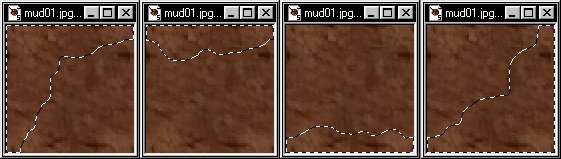
Step 6. Repeat steps 1 through 3 to create the additional frame sequences needed for the remainder of the borders that surround the animated core area. Top, bottom, right side and the four corners, the only variable will be where we select with the freehand tool to create the static area's as illustrated below. Do not under any circumstance rotate or mirror any textures to try and bypass creating the additional border animations, they will not tile properly. |
 |
[ Main ] [ Tracks ] [ Track Shots ] [ Traxx ] [ M-350 ] [ Scraps ] [ T-N-T ]